How to make the Unforgettable AI car reveal
Follow the complete workflow: choose a portrait, pick a video pack and turn the 2 + 4 card transition into your own car reveal.
What is the Unforgettable car trend?
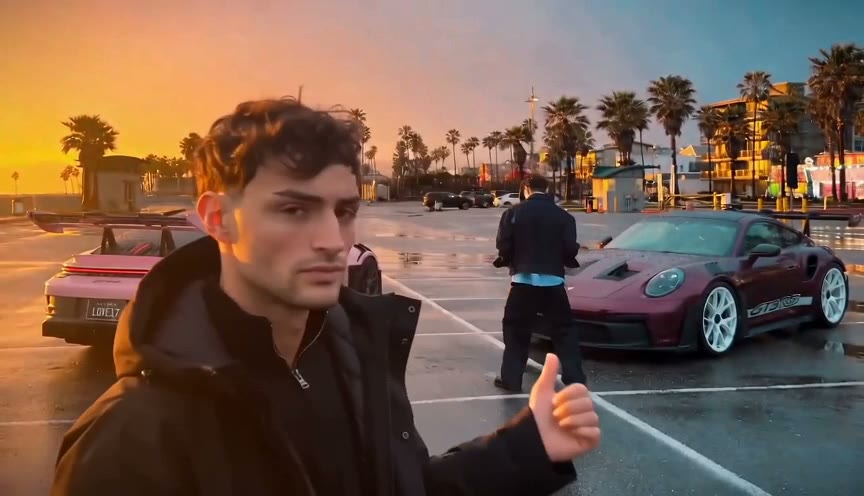
The version available in this studio begins with a person holding cards numbered 2 and 4. The cards move toward the camera and cover the lens. When the view opens again, the cars appear behind the person. The appeal is the change between a simple portrait moment and a much bigger entrance.
Unforgettable uses a fixed golden-hour reference sequence and your uploaded portrait to create a new main character. Watch the full reference and the actual 480p result on the homepage before you start. The yellow-car video is inspiration; the golden-hour scene is the template you can generate here.
Prepare one clear portrait
Choose a photograph of yourself or another consenting adult. A face-on, evenly lit portrait gives the generator a clearer starting point than a dark selfie, a group shot or a heavily filtered image. Keep the face large enough to see and leave some space around the head and shoulders.
The studio accepts JPG, PNG and WebP files up to 10 MB, with both dimensions at least 256 pixels. It prepares the image in your browser before upload. A larger file is not automatically a better portrait: clear facial detail matters more than file size.
Create your reveal, step by step
You can choose your photo before signing in. After you sign in, continue with the selected photo to save a draft. Review the resolution and pack before paying.
- Upload your portrait and select 480p or 720p.
- Sign in with Google or email, then continue to save the draft.
- Choose Starter for one 480p video, Plus for three 480p videos, or Plus HD for two 720p videos.
- Complete PayPal checkout. If the return page asks you to confirm payment, finish that step so the credits appear.
- Open your saved draft from My videos and use one matching video credit to start generation.
- Track the order and download the MP4 when it is ready.
What to expect from the finished video
Each current-template generation is a 12-second, 16:9 landscape MP4. Our reference test at 480p took about seven minutes; your waiting time can differ with the provider queue. Keep the order number and check My videos for the actual status.
AI can change facial detail, clothes, hands, card numbers and movement. Watch the complete clip once before posting, especially the moments before and after the cards cover the camera. The example shows one result, rather than a guarantee of identical motion or likeness.
Download and finish your post
Download your completed video within the 30-day storage window and keep a local copy. The clip does not include the Unforgettable song. Add audio you are allowed to use in your editing or publishing app.
The supplied video is landscape. If you want a vertical post, preview a crop carefully: it may cut off the cards or cars. A vertical canvas with the full landscape clip inside is another option. Identify realistic AI-generated content according to the destination platform’s current rules.
Ready for your own reveal?
Watch the full example, choose a portrait and review your pack before payment.
Upload my photo ↗